Inheriting a Codebase? Use the acquire-codebase-knowledge Skill Instead of Asking 'Analyze This Project'
Asking a coding agent to 'analyze this project' after inheriting an unfamiliar codebase produces different results every time. The acquire-codebase-knowledge skill from awesome-copilot turns AS-IS analysis into a reproducible task with an evidence-based contract and a seven-document system. This article covers the skill's structure and the design principles behind scan.py.
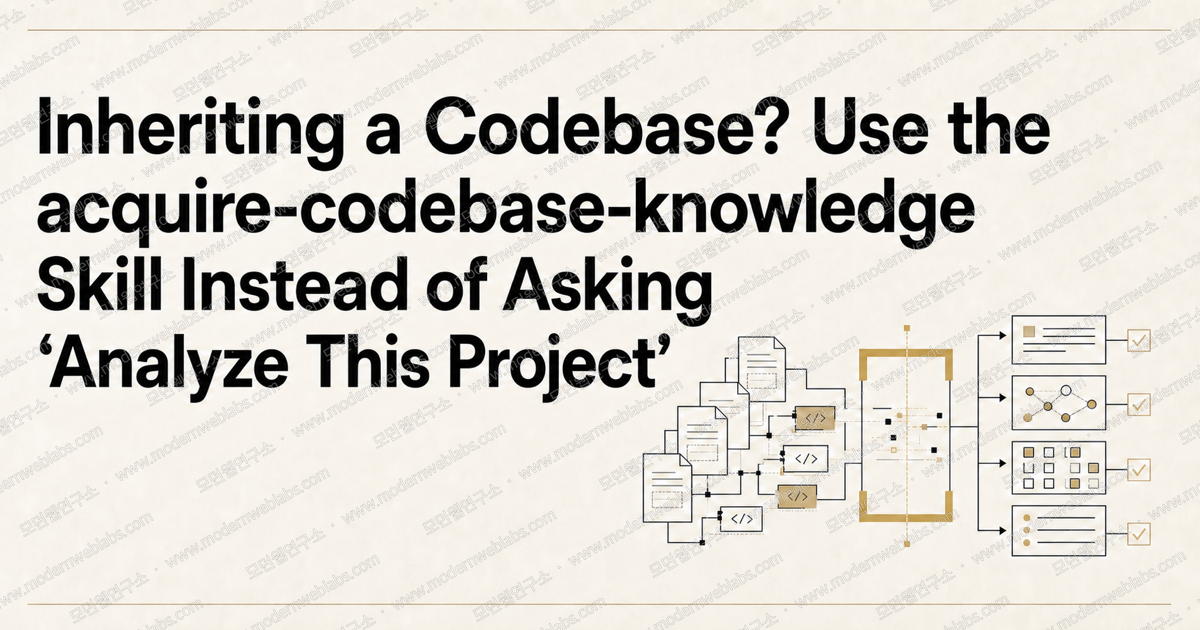
There is a moment when an entire running service lands in your lap. The previous agency wrapped up its contract, or the person in charge left the company. The reasons vary but the situation is the same: the docs are stale, the code is vast, and there is nobody left to ask. Modern Web Labs recently went through exactly this while taking over a Flutter app. The tool that helped most was the acquire-codebase-knowledge skill from awesome-copilot. It changed the quality of our AS-IS analysis enough that this article walks through how the skill is structured and why its design works.
Why "Analyze This Project" Fails
Ask a coding agent to "analyze this project" and you will get something. The problem is that you get something different every time. One day it writes a long architecture essay, another day it just lists dependencies. With no definition of what to investigate or how deep to go, the agent improvises on every run.
The more dangerous problem is guessing. Agents will see a variable named dbUrl and declare which database the project uses, or skim a few directories and write that the project "follows Clean Architecture." In a handover situation there is nobody around to catch these guesses. A wrong analysis document is worse than none at all, because the whole team starts development holding an incorrect map.
Modern Web Labs used to work the same way, firing off ad-hoc requests like "analyze the auth code and write up the design." The format and depth of the output changed with every request, and there was no way to tell whether any area had been missed.
awesome-copilot and acquire-codebase-knowledge
awesome-copilot is a collection managed under the GitHub organization and built together with the community.1 It bundles custom agents, instructions, skills, hooks, plugins, and agentic workflows, which makes it a great source of inspiration when assembling your own agent setup. It is also the kind of repository where a pile of good new material has appeared every time you come back to it.
Within it, acquire-codebase-knowledge is a skill that maps and documents an existing codebase end to end.2 It triggers only on repository-level discovery requests such as "map this codebase" or "onboard me to this repo," and stays out of ordinary feature work and bug fixes. It ships under the MIT license and needs nothing more than Python 3.8+ and git.
The Output: Seven Documents in docs/codebase/
When the skill finishes, exactly seven documents remain in the docs/codebase/ folder.
STACK.mdlanguage, runtime, frameworks, and every dependencySTRUCTURE.mddirectory layout, entry points, key filesARCHITECTURE.mdlayers, patterns, data flowCONVENTIONS.mdnaming, formatting, error handling, import rulesINTEGRATIONS.mdexternal APIs, databases, auth, monitoringTESTING.mdtest frameworks, file organization, mocking strategyCONCERNS.mdtech debt, security risks, performance bottlenecks, known issues
A handover is like opening the desk drawers of a predecessor who left without tidying up. Nobody knows what is where, so the first job is labeling every drawer. The seven documents are those labels.
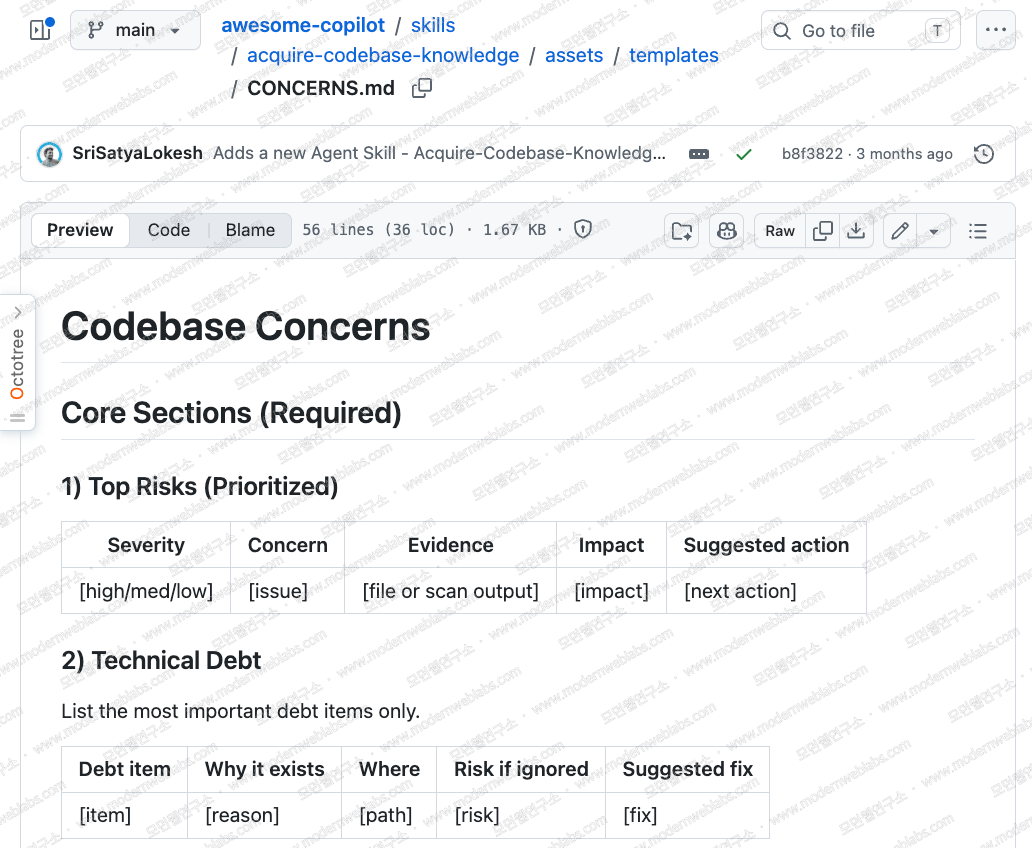
From a consulting perspective the document to watch is CONCERNS.md. It is not a blank page but a template with predefined tables to fill in: a risk table ordered by severity, a tech debt table, a security concerns table with OWASP categories, a performance and scaling table, and a table of fragile areas with recent churn. Fill in these tables and you have most of the skeleton of an AS-IS assessment report.
The Guardrails Against Guessing
The core principle of this skill is evidence-based documentation. SKILL.md spells out the completion criteria as an Output Contract. Everything the agent writes into the seven documents must be backed by actual files, configuration, or terminal output, and every document must include a list of the file paths used as evidence. Anything the agent could not verify goes in as [TODO], and decisions that require knowing the team's intent are marked [ASK USER]. It is a mechanism that forces the agent to say "I don't know" instead of inventing a plausible answer.
The anti-pattern list is just as concrete. Do not write "uses Clean Architecture with Domain/Data layers" when no such directories exist. Do not write "this is a Next.js project" before checking package.json. Do not guess the database from a variable name; confirm real dependencies like pg, mysql2, or prisma in the manifest.
The skill also ships a set of gotchas covering the spots practitioners get wrong most often. A few of them:
A README can be a record of 'intent.' Do not treat any of its claims as fact before cross-checking against the actual file structure.
Never document patterns found in build artifacts such as
dist/,build/, orgenerated/.devDependenciesare not the production stack. Record linters and test tooling separately as dev tools.TODOs inside test directories are coverage gaps, not production tech debt. Keep them separate in
CONCERNS.md.
Newsletter
Notes vetted by enterprise practitioners, every two weeks.
Notes on Claude Code, GitHub Copilot, AI-native engineering strategy, and adoption case studies, curated every two weeks.
The Four-Phase Workflow
The skill enforces four phases through a checklist. In Phase 1 it scans the codebase with scan.py and hunts down intent documents such as PRDs, READMEs, and SPECs. The interesting part is the order: the skill summarizes what the project was 'meant to do' before reading any source code. That summary exists so the final phase can point out where intent and reality diverge.
In Phase 2 the agent works through a per-document list of investigation questions (inquiry-checkpoints.md) against the scan output and the source. The investigative acts themselves are prescribed, such as "check 10+ files to establish the naming convention" or "trace one request from entry point to data store." Phase 3 copies the templates and fills in the seven documents, and Phase 4 runs the whole set through a validation loop. The agent verifies there are no unsupported claims, repeats fix-and-revalidate until everything passes, then presents the [ASK USER] items as a numbered list along with the divergences between intent and reality.
If you do not need the full set of documents, use focus mode. Specify a scope like "architecture only" and the skill completes those documents first, leaving the rest as [TODO].
What scan.py Collects
scan.py in Phase 1 is a Python script of roughly 700 lines.3 It uses only the standard library and does not modify a single project file. The only artifact it leaves behind is one output file containing the scan results. Here is what it collects.
Directory tree (depth 3, excluding
node_modules,dist, and the like)Manifest previews across 25+ languages (from
package.jsontoCargo.tomlandpubspec.yaml)Entry point candidates and lint/format configuration files
Required environment variables pulled from
.env.example-style templatesTODO, FIXME, and HACK comments in production code (test directories excluded)
The last 20 commits and the top 20 most frequently changed files over the last 90 days
Monorepo signals, per-language code metrics, CI/CD, container, and security configuration
The part of the scan.py code worth studying is the collection caps. At the top of the script (line 26) sit constants capping the directory tree at 200 entries, TODO comments at 60, and manifest previews at the first 80 lines, and every collector truncates at these limits. Thanks to the caps, the scan output stays roughly the same size whether the project has ten thousand files or a hundred thousand. The scan result ultimately goes into the agent's context window, so collecting without limits does not make the analysis more accurate; it just overflows the context. The same concern behind our instruction budget article, where more rules mean worse compliance, is baked into the design of this scan script.
The way it leans on git history is equally practical. The files changed most often in the last 90 days are the likeliest candidates for hidden complexity and risky modifications. The skill requires this high-churn file list to be recorded in CONCERNS.md. You secure a shortlist of danger zones before reading a single line of code.
Using It Outside Copilot
The repository is named Awesome Copilot, but the custom agents, instructions, skills, hooks, plugins, and agentic workflows it contains are not limited to GitHub Copilot. A skill is really just a bundle of SKILL.md instructions, Python scripts, and markdown templates, and the SKILL.md format matches the skill specification of Claude Code. That is why copying the skills/acquire-codebase-knowledge folder into ~/.claude/skills makes it work in Claude Code as-is. Run the skill in your first session right after a handover to produce the seven documents, and every subsequent working session can build on top of them.
Wrapping Up
What you need when you inherit a codebase is not a smarter agent but a more systematic procedure. The acquire-codebase-knowledge skill pins down the scope of investigation (seven documents), the method (a scan plus question lists), and the quality bar (an evidence-based contract), turning "analyze this" into a reproducible task.
If you plan to build skills of your own, this one doubles as a textbook. Stating completion criteria as a contract, forcing unknowns to be marked as unknowns, and designing the scan around context limits are all packed into a single skill. Read scan.py in the repository yourself. Seeing how it reduces a large codebase to a summarizable size is a treat of its own.
GitHub, Awesome GitHub Copilot, GitHub Repository.
↩GitHub, acquire-codebase-knowledge SKILL.md, awesome-copilot Repository.
↩GitHub, scan.py, awesome-copilot Repository.
↩
Originally published at Modern Web Labs (www.modernweblabs.com). © Modern Web Labs. All rights reserved.
Newsletter
Notes vetted by enterprise practitioners, every two weeks.
Notes on Claude Code, GitHub Copilot, AI-native engineering strategy, and adoption case studies, curated every two weeks.
Modern Web Labs · Consulting
You read it. Now bring it into your team.
If the patterns in this post fit your situation, start with a short conversation about how to apply them.
How we can help
Claude Code · GitHub Copilot
Two-day hands-on plus AI-graded in-house certification
AI-Native Strategy
Redesign operating standards, measurement, and governance
Web Platform
Building full-stack services on Next.js